Site form layouts
The sponsor’s build defines what every site collects. Site form layouts let each site decide how: regroup the fields of a visit into the forms that match its clinic flow, reorder them, and relabel questions in the wording its staff actually use. The data never changes: a layout only rearranges references to the build’s fields, and the system proves that on every edit.
This is the site half of the same idea as the protocol-first path: the protocol (or the sponsor’s build) governs the data; presentation is adaptable per stakeholder.
A concrete example, using the demo study: Tampa General’s screening visit runs across two rooms, so the coordinator builds a “Clinic flow” layout that regroups the sponsor’s screening forms in the order their clinic actually moves, renames “Demographics” to the wording on their intake sheet, and submits it. The sponsor sees a layout that is provably collecting the same data and approves the workflow change. That loop is what this page walks through.
For site coordinators
Open site forms from the study page (you need the site-scoped site.forms.manage permission, seeded to the coordinator role).
Start from the standard layout. A new layout is always a copy of the sponsor’s forms for your site, never a blank canvas. Name it after your workflow (“Clinic flow”, “Two-room screening”).
Adapt it. Reorder fields, rename forms, add site wording next to any question. The panel above the editor tells you continuously whether the layout is still data-equivalent to the sponsor’s: collecting exactly the same fields, with at least the same required flags. Anything that would drop, add, or weaken a field is flagged immediately; you cannot submit until it’s clean.
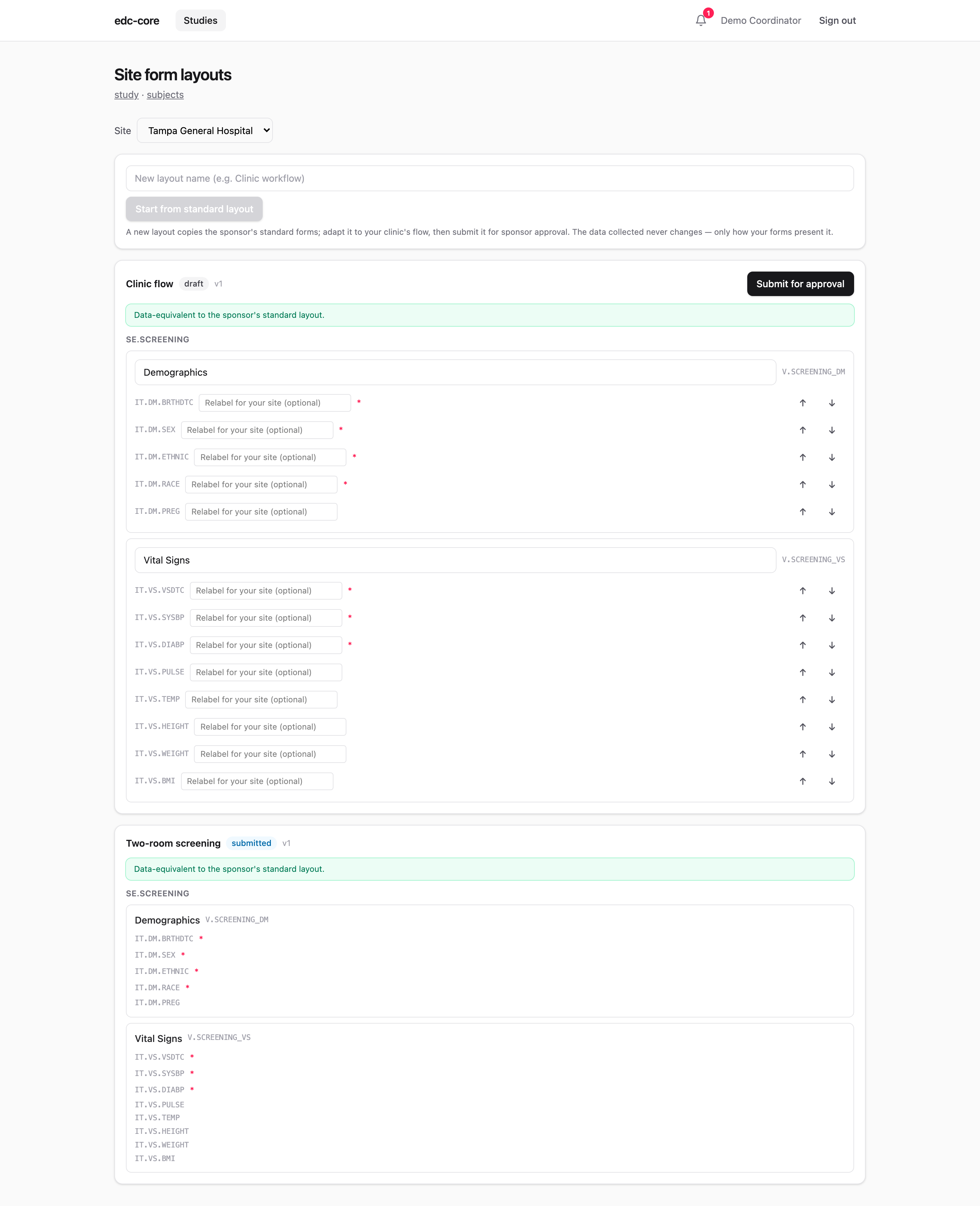
Submit for approval. The sponsor sees your layout with the equivalence check already passed, so the review is about workflow, not data. You’ll get it back approved or with a change note.
Capture through it. Once approved, the capture launcher on the same page opens your layout’s forms for your site’s subjects. Data entry, queries, signatures, and edit checks behave exactly as on standard forms. So do dynamic fields: skip logic and computed values are protocol semantics, not layout, and follow each item into every variant.
Some events may refuse layouts entirely: the sponsor can lock the layout of sensitive events (consent, endpoint assessments).
For sponsors and data managers
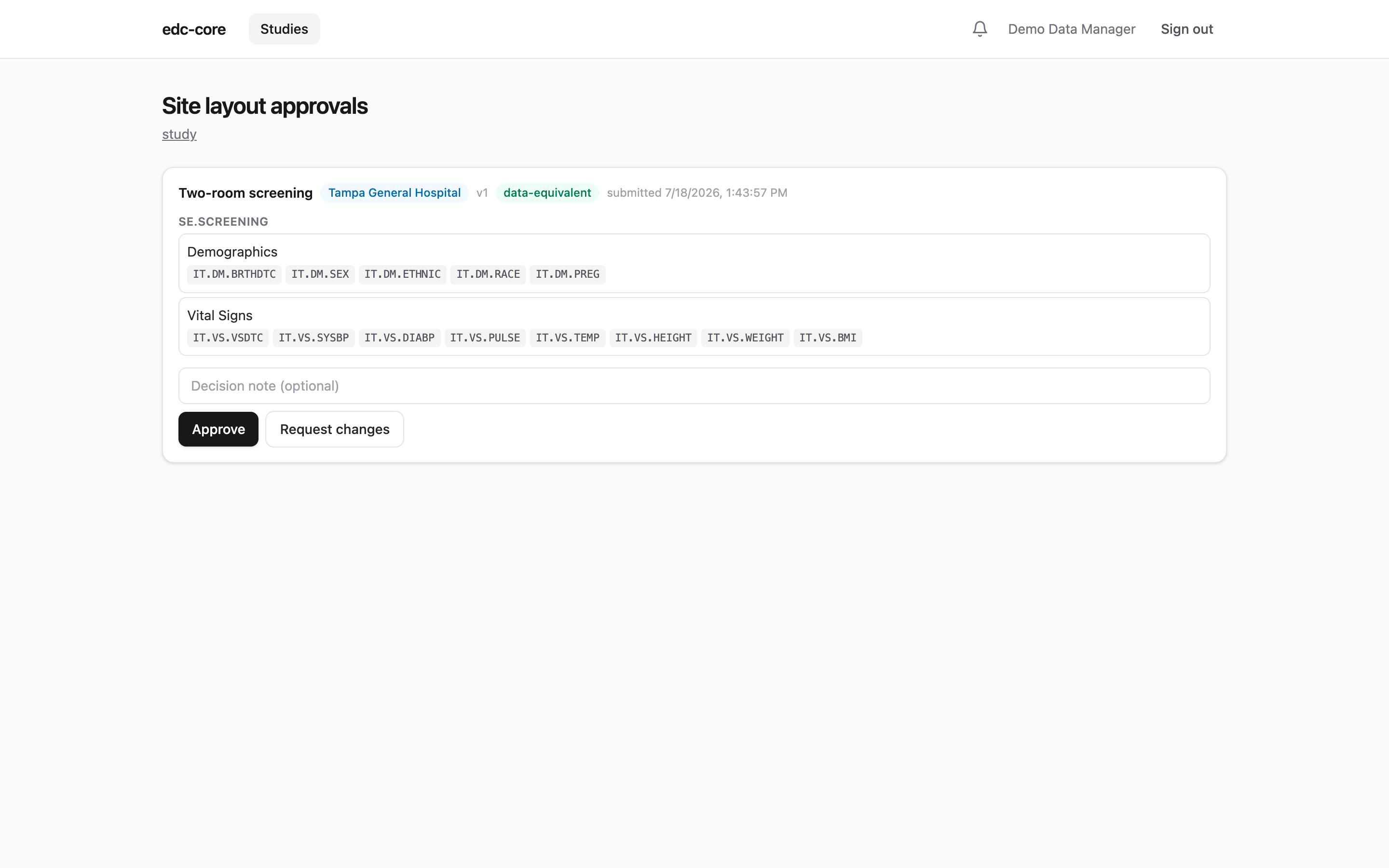
Layout approvals on the study page lists submitted layouts. Every entry already passed structural data-equivalence validation (the badge is machine-checked, not self-declared), so the decision is whether the workflow is acceptable, with an optional note back to the site.
The part that matters for data management: captured values are identical in shape regardless of layout. Value rows key on the build’s canonical field and group identifiers, so review tools, exports, snapshots, coding, and analytics see one data shape across all sites. The subject matrix deliberately keeps the sponsor’s standard layout as the oversight view; a variant only changes what the site sees during entry.
Amendments
When a new build publishes, every approved layout is rechecked against it automatically:
- Still equivalent: the layout is carried forward, marked with an audited “carried forward on amendment” note. Nothing to do.
- No longer equivalent (the amendment changed the fields of an event the layout covers): the layout is marked stale, the site and sponsor are notified, and capture falls back to the standard forms for that site until the site submits an updated layout and it is re-approved. A stale layout never delays the amendment itself.
Audit trail
Every step is recorded: each saved draft is a new immutable version, and each transition (submit, approve, request changes, retire, carry-forward, stale) writes an audit event with actor and note. Form instances record which layout version captured them, so “what did the site see when this value was entered” has an exact answer.