Analytics workbench
Most EDC systems make operational reporting a vendor-locked afterthought. edc-core gives data managers real SQL, R, and Python, inside the EDC, against versioned, analysis-ready study datasets.
Snapshots
Capture happens in PostgreSQL; analysis happens on snapshots published into a per-study DuckLake lake (Parquet files, with the same Postgres serving as catalog; no extra server).
Publishing a snapshot pivots the live, append-only capture data into typed tables at the CDISC dataset grain: one table per ODM item group (ig_vs, ig_ae, …) with columns typed from the item definitions, plus subjects and queries. Each snapshot is pinned to a lake version: an immutable, point-in-time dataset. Interim analyses and database locks reference a snapshot ID and are reproducible indefinitely, even as capture continues.
SQL
Pick a snapshot, browse its tables and columns in the schema panel, and query with DuckDB SQL:
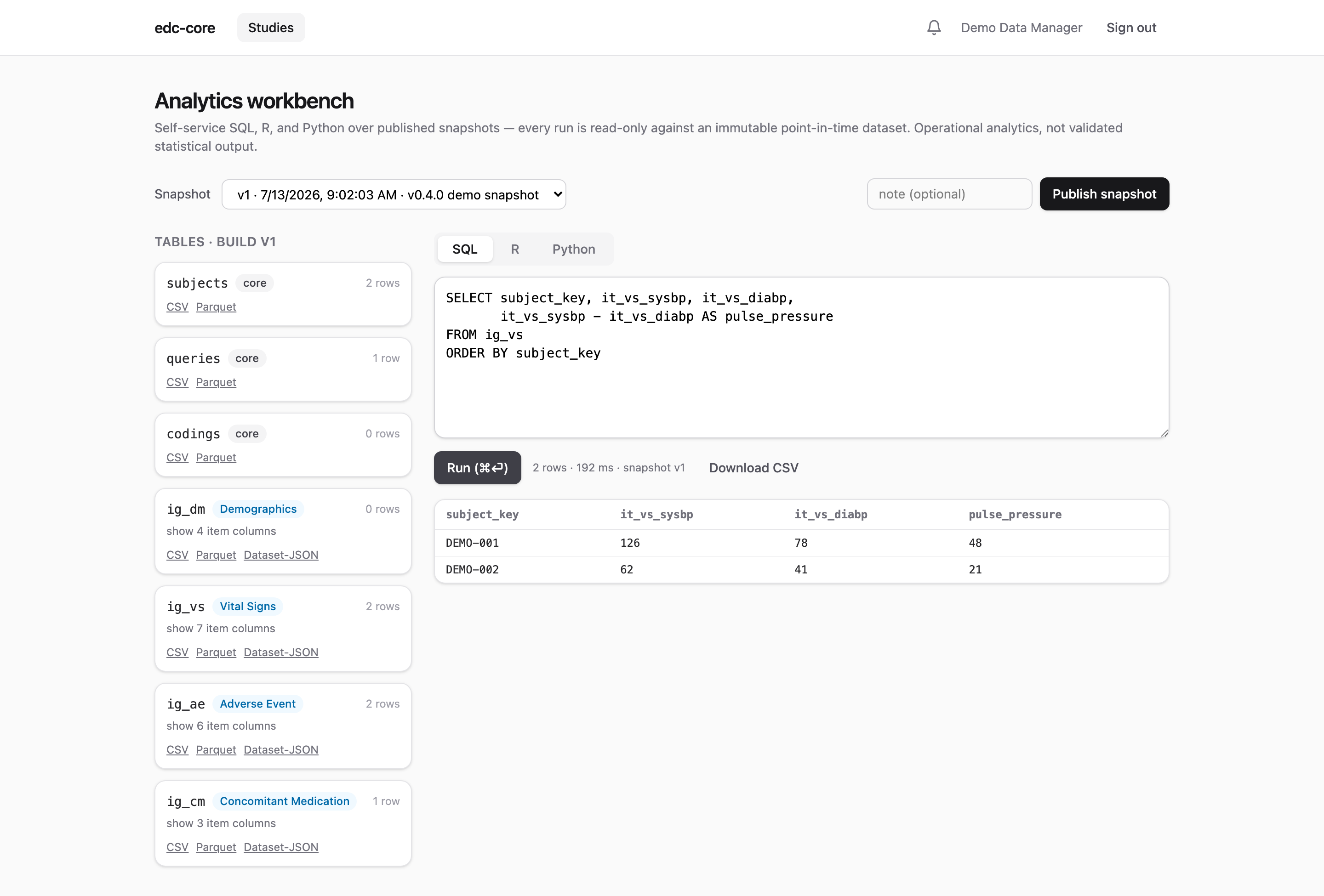
Every run executes in a locked-down, read-only session that can only see the selected study’s snapshot (isolation is physical, at attach time, not a convention). Results are capped at 5,000 rows with a 30-second timeout, are downloadable as CSV, and every execution is audited with its SQL text.
R and Python
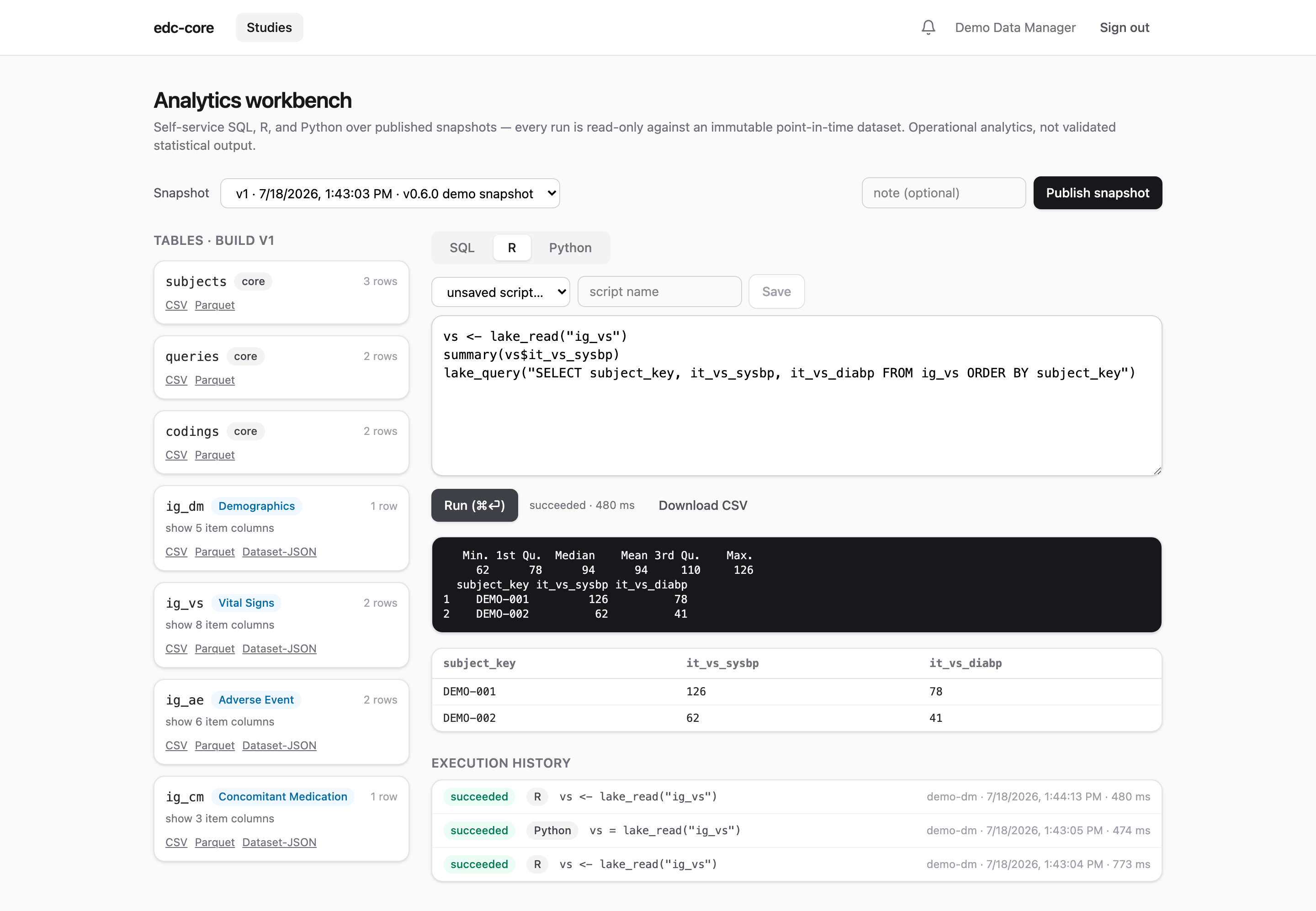
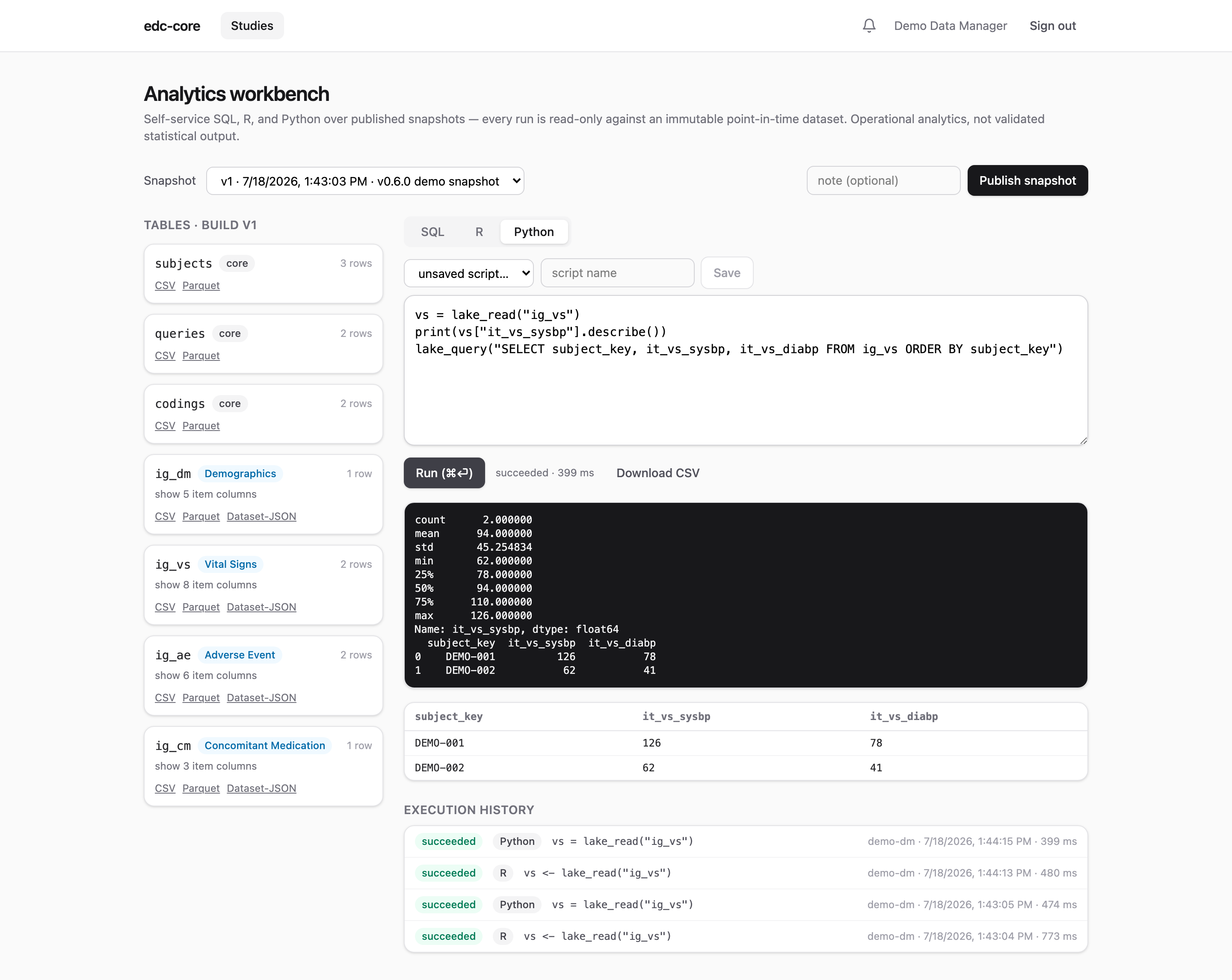
The R and Python tabs send scripts to sandboxed server-side containers (R: Rocker + plumber; Python: duckdb + pandas). Each run executes in a fresh subprocess against the same pinned snapshot, with two helpers in scope:
vs <- lake_read("ig_vs")     # a table as a data.frame
lake_query("SELECT ...")      # arbitrary DuckDB SQL, as a data.frame
vs = lake_read("ig_vs") # a table as a pandas DataFrame
lake_query("SELECT ...") # arbitrary DuckDB SQL, as a DataFrameConsole output, the last data-frame result, and timing come back to the browser; scripts can be saved and versioned per study, and the execution history (code, logs, outputs, who and when) is retained and audited. This directly serves ICH E6(R3)’s expectation of traceable data transformations.
The workbench is for operational analytics: data cleaning status, accrual, query aging, dataset review. It is deliberately not a validated statistical compute environment: statistical deliverables should be produced in your organization’s validated environment from exported snapshot data.
Exports and the study archive
Any snapshot table exports as Dataset-JSON v1.1 (the FDA-accepted, CDISC-standard exchange format), CSV, or Parquet, straight from the table cards above the editor. Every subject also has a PDF casebook, and the study archive bundles the whole study (every build’s ODM, all datasets, the audit trail, signatures, casebooks) into one self-contained zip. When to use which format, what a casebook contains, and what the archive is for are covered on Exports, casebooks, and the study archive.
Permissions
The workbench is gated by the analytics.run permission (data managers, monitors, and admins by default); snapshot publication, exports, and archives by export.data. Like everything else, grants are per-study and auditable.