The site seat and its logs
Most of this guide describes the oversight seat: the sponsor or CRO view across many sites. This page is about the other side of the relationship: a coordinator or investigator whose access is scoped to their own site.
Signing in as site staff
A site person holds a Site staff grant limited to one site. When they sign in, the app takes them straight to their site’s page. There is no study dashboard, portfolio, or admin surface to get lost in, because none of those would show them anything they’re permitted to see. What they get is their site, whole: staff roster, the two logs below, enrollment reporting, and every expected document with an upload button where one is needed.
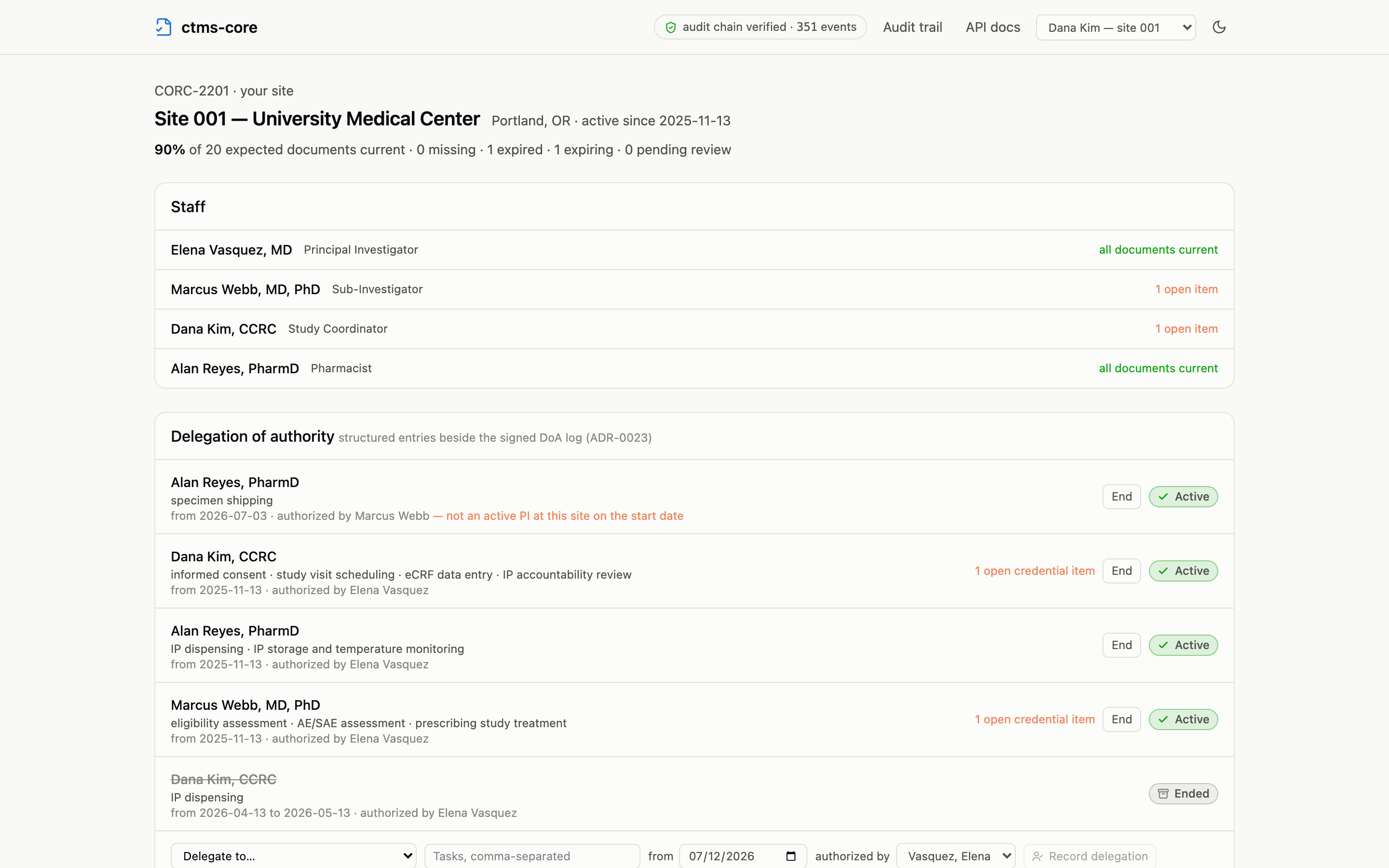
Site staff can upload documents and sign them (a PI signing their Form FDA 1572, for instance), and they record their site’s enrollment counts. What they cannot do is approve documents, administer the study, or read anything beyond their site; those denials are immediate and name the missing permission.
In the demo, the header’s persona menu switches to Dana Kim — site 001 to try this seat.
The delegation of authority log
Every site keeps a delegation of authority log: who the investigator has delegated which study tasks to, from when. The paper (or PDF) log the PI signs is still filed and signed as a document. What this page adds is the structured entries beside it, so delegation becomes something the system can check rather than a scan nobody reads.
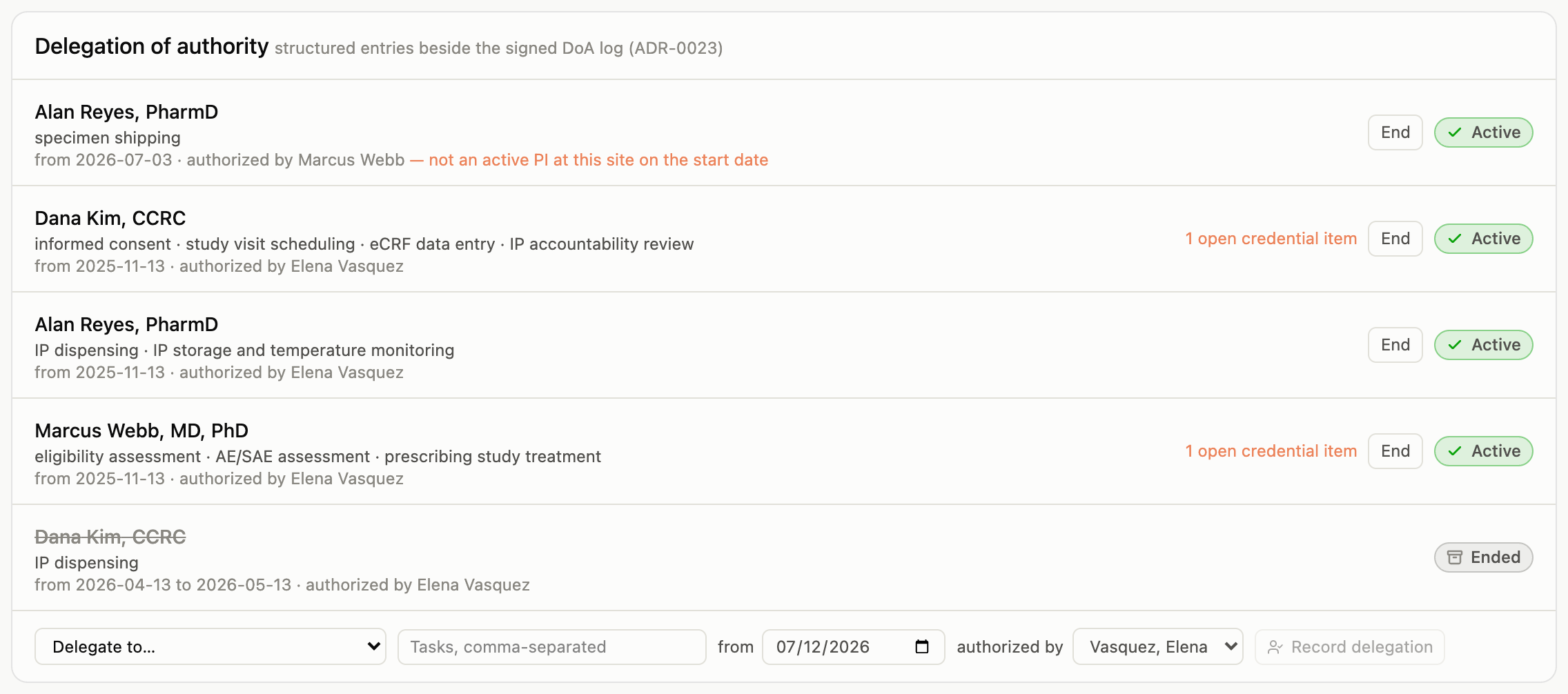
Each entry names the delegate, the delegated tasks, the start date, and the investigator who authorized it. Ending a delegation records an end date; entries are never edited or deleted, and every change lands in the audit trail. Because the entries are data, two checks run on every view:
- Was the authorizer actually the PI? If the authorizing person did not hold an active principal-investigator role at that site on the entry’s start date, the entry says so, right on the log.
- Is the delegate’s file in order? If the delegate has open credential items (an expired medical license, a missing GCP certificate), the entry carries the count. A delegation to someone whose license lapsed is exactly the finding a monitor wants surfaced before an inspector finds it.
The training log
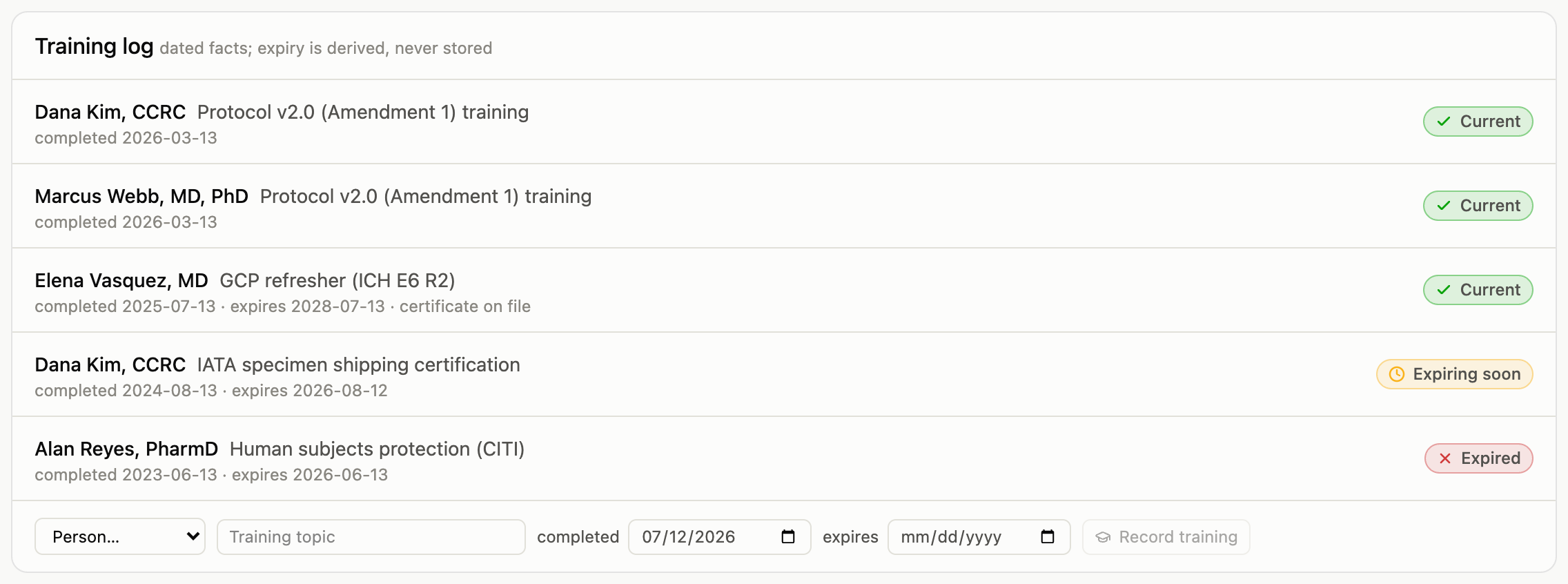
The training log records completions as dated facts: who, what topic, when, and (when the training expires) until when. An entry can link to the filed certificate document. As everywhere else, the status (current, expiring soon, expired) is computed from the dates on every page load, never stored.
Who writes the logs
The logs are the site’s record of itself. Site staff and administrators can write entries; monitors and trial operations read them: oversight reviews the log, it does not author it. The signed delegation log document remains the authoritative Part 11 record; signing individual entries electronically is on the roadmap, not claimed today.