The auditor’s seat
An inspection reads the record three ways: what is on file, what happened to it, and whether the bytes on screen are really the bytes that were signed. This page is how the app answers each one, and what an auditor’s own sign-in looks like.
Signing in as an auditor
An auditor or inspector holds a Read-only grant: view everything, change nothing. The app renders that seat honestly: there are no upload buttons, no approve ceremonies, no admin forms, because none of them would do anything but refuse. What remains is the whole record: every study, every site, every document, the review queue, the audit trail, and the binder below.
In the demo, the header’s persona menu switches to Ruth Ostrow — auditor to try this seat. The same trimming applies to every seat, not just this one: a monitor doesn’t see approval ceremonies either, because a monitor cannot approve. What a button would only 403, the page no longer offers.
The binder
Inspectors don’t navigate a TMF by dashboard; they navigate it by the reference model. The Binder page lays the study out in exactly that order: zone, section, artifact, with each artifact carrying what was filed against it and what the study still expects: missing and waived slots shown beside the filed documents, not hidden.
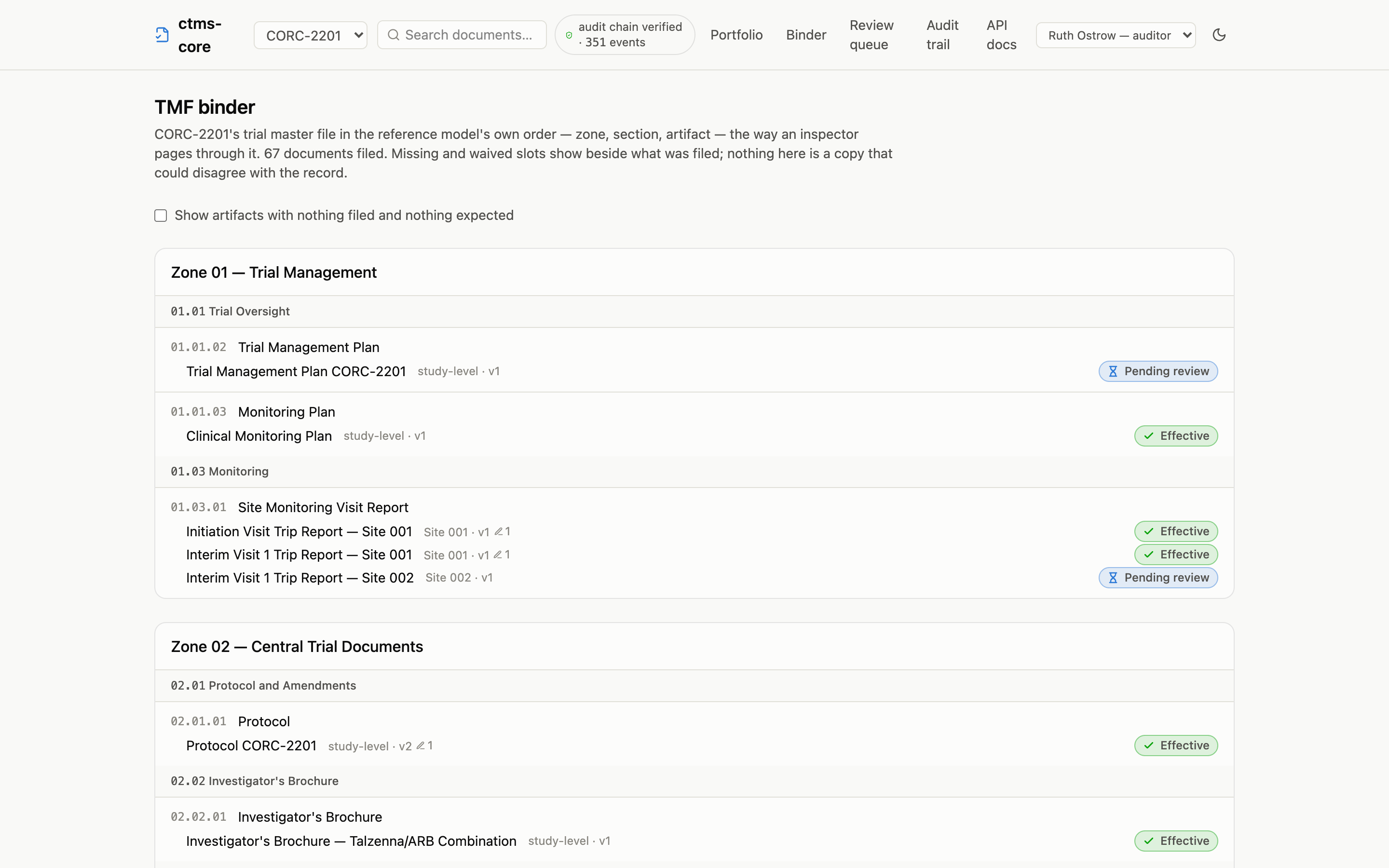
There is no binder to maintain and none to drift: the page is a single query over the same derived views every other page reads. By default it shows the artifacts in use (those with documents or expectations), and a checkbox reveals the rest of the loaded taxonomy, because an empty slot can be exactly what an inspector is looking for.
Verifying the bytes
Every signature in the system stores the content hash of the exact version it signed (§11.70). The document page displays that binding, and, since displaying is not proving, it also lets any reader verify it: the browser re-fetches the version’s bytes, recomputes the SHA-256 locally, and compares the result against the recorded hash and every signature bound to it. The check happens on the reader’s machine, on the served bytes; it does not take the server’s word for anything.

“What happened to this record” stays one scroll away on the same page: the trigger-written, hash-chained audit trail, with the chain’s live verification badge in the header on every page.
Taking the record with you
A live seat answers questions during the inspection; the transfer package answers them afterwards. pnpm export-tmf writes every version’s bytes, the full metadata with signature hashes, and the entire audit chain, verifiable with stock tooling (shasum -c) and optionally as a CDISC eTMF-EMS exchange package; see operations for both.