Monitoring visits
A monitoring visit moves through six stages, and you never set any of them. Each stage is computed from what has actually happened: the dates recorded, the trip report’s status, and how many action items remain open. Your job is just to do the next thing; the stage follows.
| When you see… | It means… | The next step is… |
|---|---|---|
| Scheduled | The visit date is still ahead | Nothing, until the visit happens |
| Overdue | The scheduled date passed with no visit recorded | Conduct the visit and record it |
| Awaiting report | Conducted, but no trip report yet | Upload the trip report |
| Report in review | Report uploaded, not yet approved | Review and approve the report |
| Follow-up | Report approved, action items still open | Resolve the action items |
| Complete | Report approved, everything resolved | Nothing; you’re done |
Scheduling a visit
Visits are scheduled from the site page: pick the visit type (pre-study, initiation, interim, or close-out) and the date, and the visit appears on the site page and the dashboard as Scheduled.
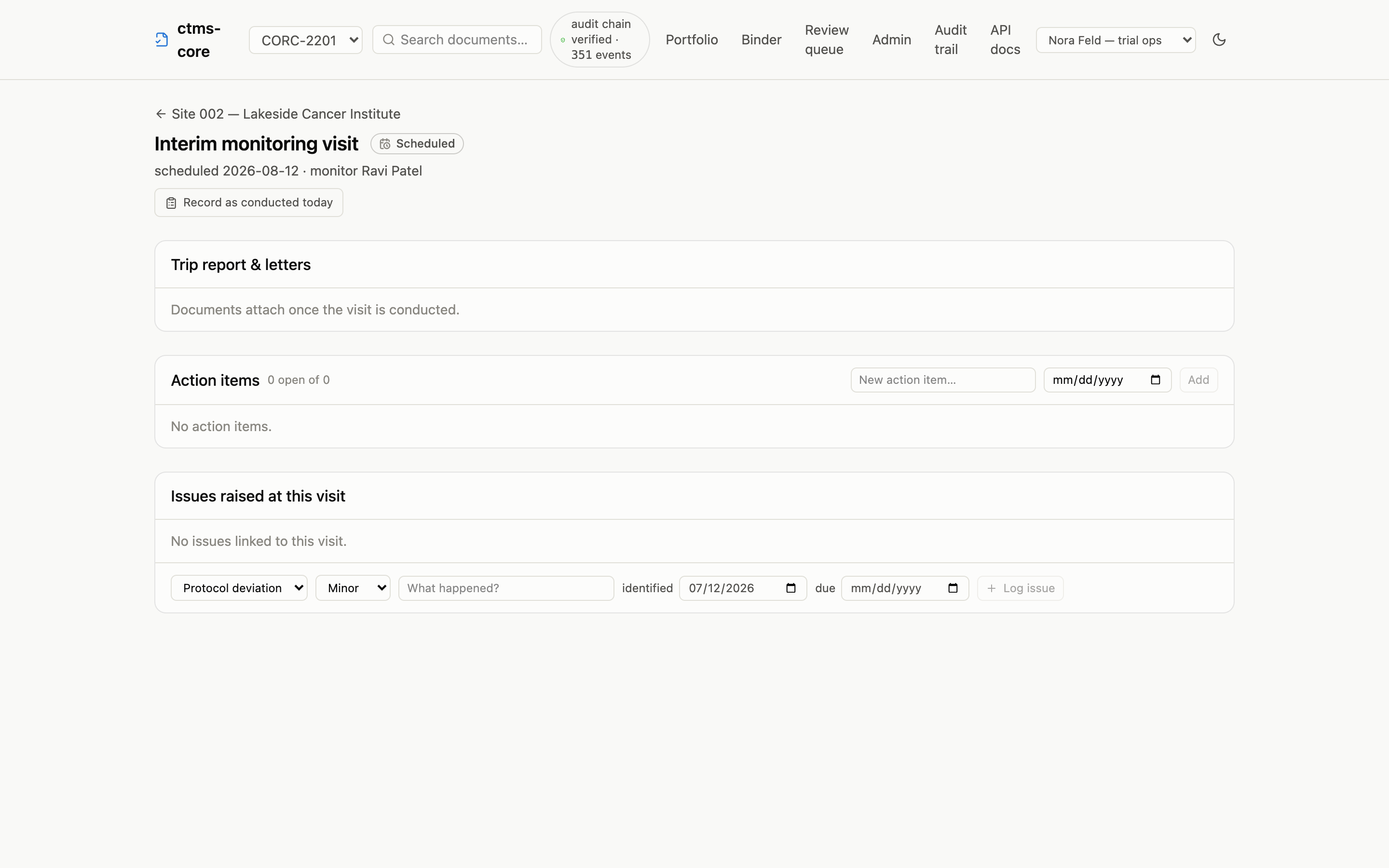
If the scheduled date passes without a visit being recorded, the stage flips to Overdue on its own; nobody has to notice.
There’s no reschedule button yet: if a visit date genuinely needs to move, that’s currently an API change your data team can make in one call (see the cookbook).
Recording the visit
On the visit’s page, Record as conducted today stamps the visit date. That’s the whole step: the visit moves to Awaiting report, and the trip-report upload appears.
The trip report
Upload the trip report from the visit page. The report is a real document (it gets the same version history and signatures as everything else), and the visit holds at Report in review until someone approves it.
Review & approve on the report row takes you to the document page, where approval works exactly as described in working with documents: a confirmation step, an identity check, and a signature bound to the exact file.
The reviewer can also send the report back: return it for correction with a reason. The visit drops back to Awaiting report, and the visit page’s upload button reads Upload corrected report; the corrected report goes through review like the first one, and the returned one stays on the record.
Action items and closing out
Findings from the visit go in as action items: a description and a due date, added right on the visit page. Open items hold the visit in Follow-up even after the report is approved; an item past its due date shows as overdue. Resolving the last one is what completes the visit.
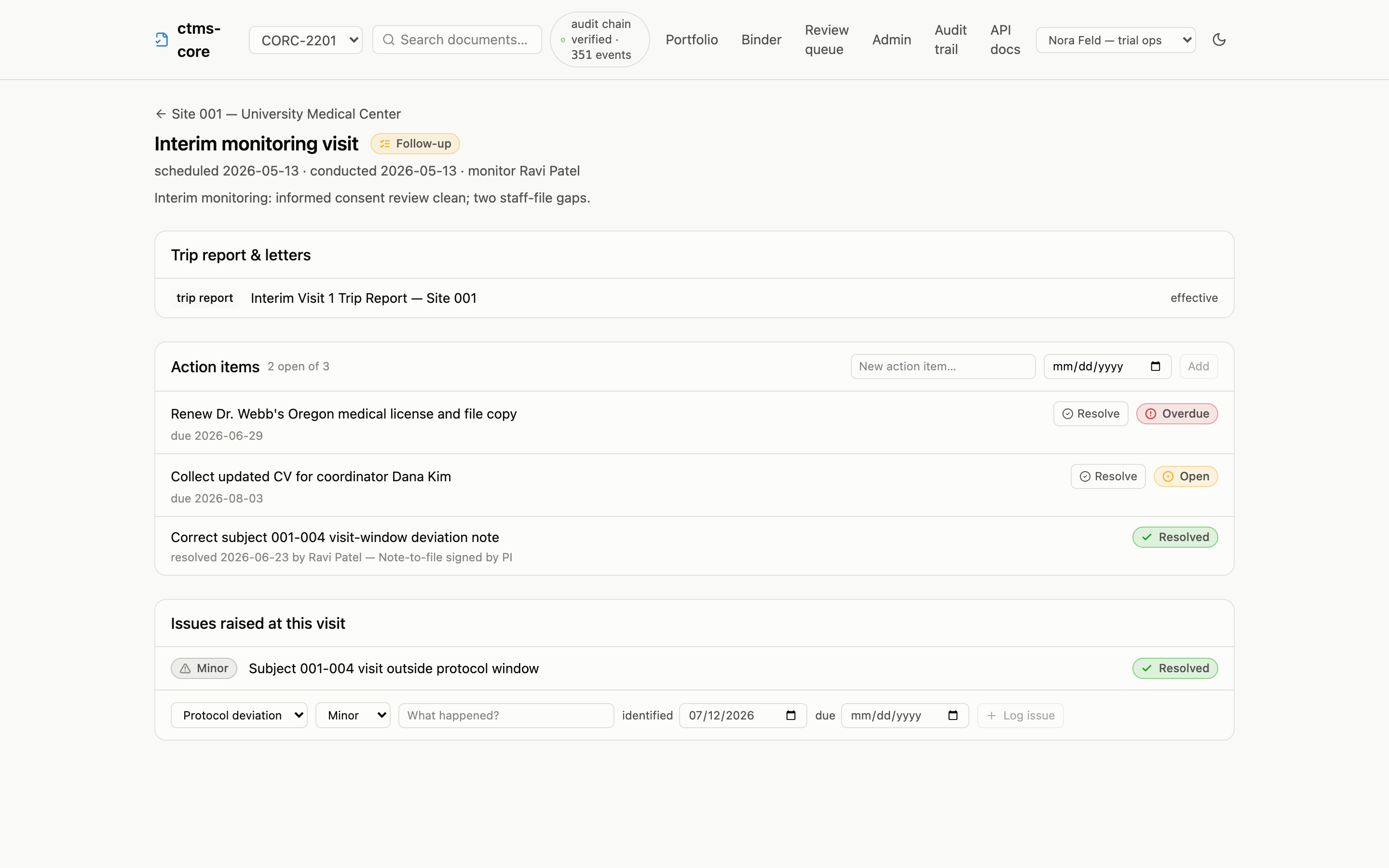
If a finding is bigger than a to-do (a protocol deviation, a safety concern), log it as an issue from the same page, and it stays linked to the visit that found it. See issues and deviations.