Issues and deviations
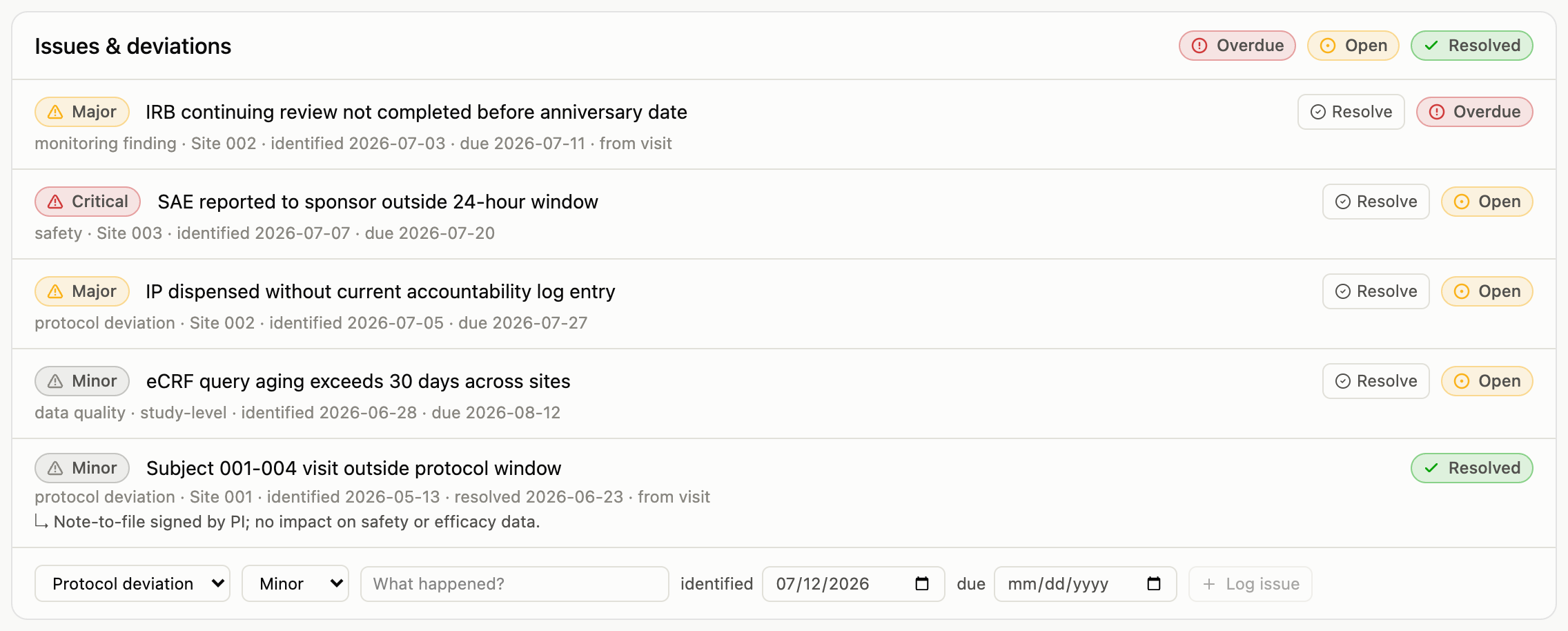
An issue is anything that needs tracking to resolution: a protocol deviation, a monitoring finding, a safety concern, a data-quality problem. Issues carry a severity (minor, major, critical) and dates (identified, due, resolved), and their status is computed from those dates alone. An issue past its due date without a resolution shows Overdue by itself; there is no flag anyone has to remember to flip.
Logging an issue
The form sits at the bottom of the issues card, wherever you are:
- On the dashboard, for study-level issues that don’t belong to one site.
- On a site page, for issues at that site.
- On a visit page, for findings identified during a monitoring visit; these stay linked to the visit that found them.

Pick the category and severity, describe what happened, and set a due date if the issue has a deadline for resolution. The identified date defaults to today.
Working the list
The dashboard’s issues card shows everything across the study, newest first, with severity and status chips. The chips in the card header filter the list (click Overdue for the items that need attention today), and the filtered view is a pasteable link.
Resolving
Resolve on any open issue stamps the resolution date. Resolution notes (what was done, the note-to-file reference) appear under the issue once recorded. As with everything else, resolving an issue is an audited change: the full history of who logged it, who resolved it, and when, is preserved automatically.