Storage and custody
Once a specimen is accessioned, the sample record brings its whole physical lifecycle onto one screen: a scannable label, a freezer position, and the running chain of custody.
The label
Section titled “The label”Every specimen gets a 2D DataMatrix label encoding its accession ID, alongside the human-readable ID for people. It is generated on demand and served as a PNG, so it prints from any label printer without special drivers.
Freezer storage
Section titled “Freezer storage”Storage is a hierarchy: facility → freezer → shelf → rack → box → position.
From a sample record you choose a box and either name a position (positions look
like A1) or leave it blank to auto-allocate the first free one. Each freezer
unit carries its temperature, so a −80 °C freezer is distinguishable from a
−20 °C one on the record.
The Storage screen shows any box as a grid, colouring each position by
whether it holds one of this study’s specimens, another study’s, or is free. You
can place a specimen by clicking a free position and move one by picking it up
and dropping it elsewhere; each move writes a storage_remove then
storage_add custody event, so the map is always backed by an unbroken trail
(ADR-0015).
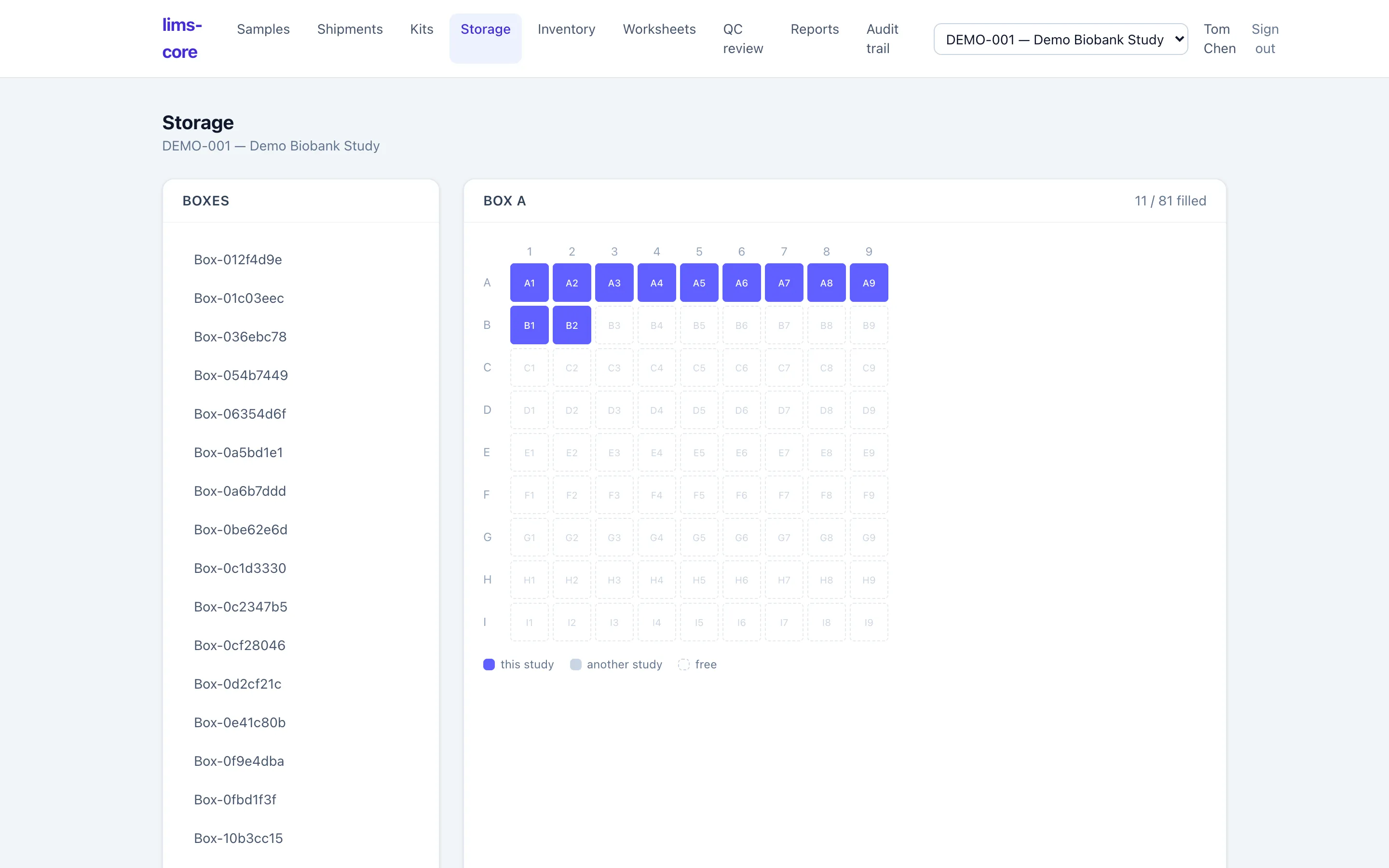
The database enforces one specimen per position: a second specimen cannot be booked into an occupied slot. This is a partial unique index, not an application check, so it holds even under concurrent stores (requirement CoC-03).
The chain of custody
Section titled “The chain of custody”Every physical event appends to an immutable custody log: collection and receipt at accessioning, then storage, transfers between locations, aliquoting, consent-withdrawal holds, and disposal. Custody rows can never be updated or deleted; a correction is a new event, never an edit of an old one (requirement CoC-02).
Because the log is append-only and scoped to the specimen’s study, it is a complete, tamper-evident answer to “where has this specimen been, and who touched it?” With storage recorded, you can aliquot or derive the specimen, ship it to a central lab, or order a test and enter a result.