Accessioning
Accessioning is where a specimen enters the system. Registering it creates the sample record, assigns a per-study accession ID, and opens the chain of custody — all in a single database transaction, so a specimen is never half-registered.
The samples list
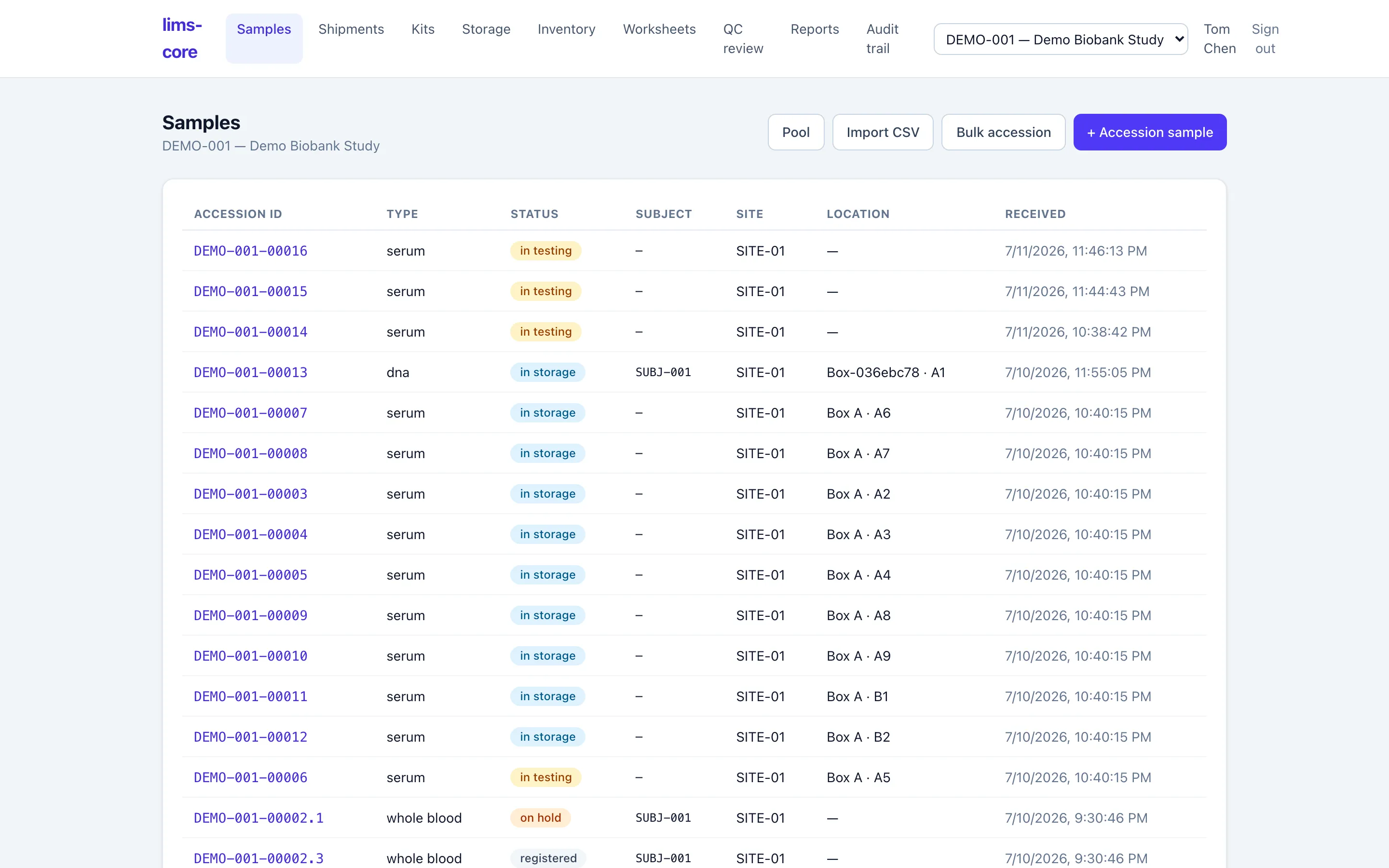
Section titled “The samples list”Each study has a filterable list of its specimens: accession ID, type, workflow status, subject reference, site, storage location, and receipt time. It is the home base you return to after every action.
Registering a specimen
Section titled “Registering a specimen”Register a new specimen against a study and site and choose its type — whole blood, serum, plasma, tissue, urine, DNA, RNA, or other. The “other” type keeps the core domain-neutral so the same system can handle analytical samples later.
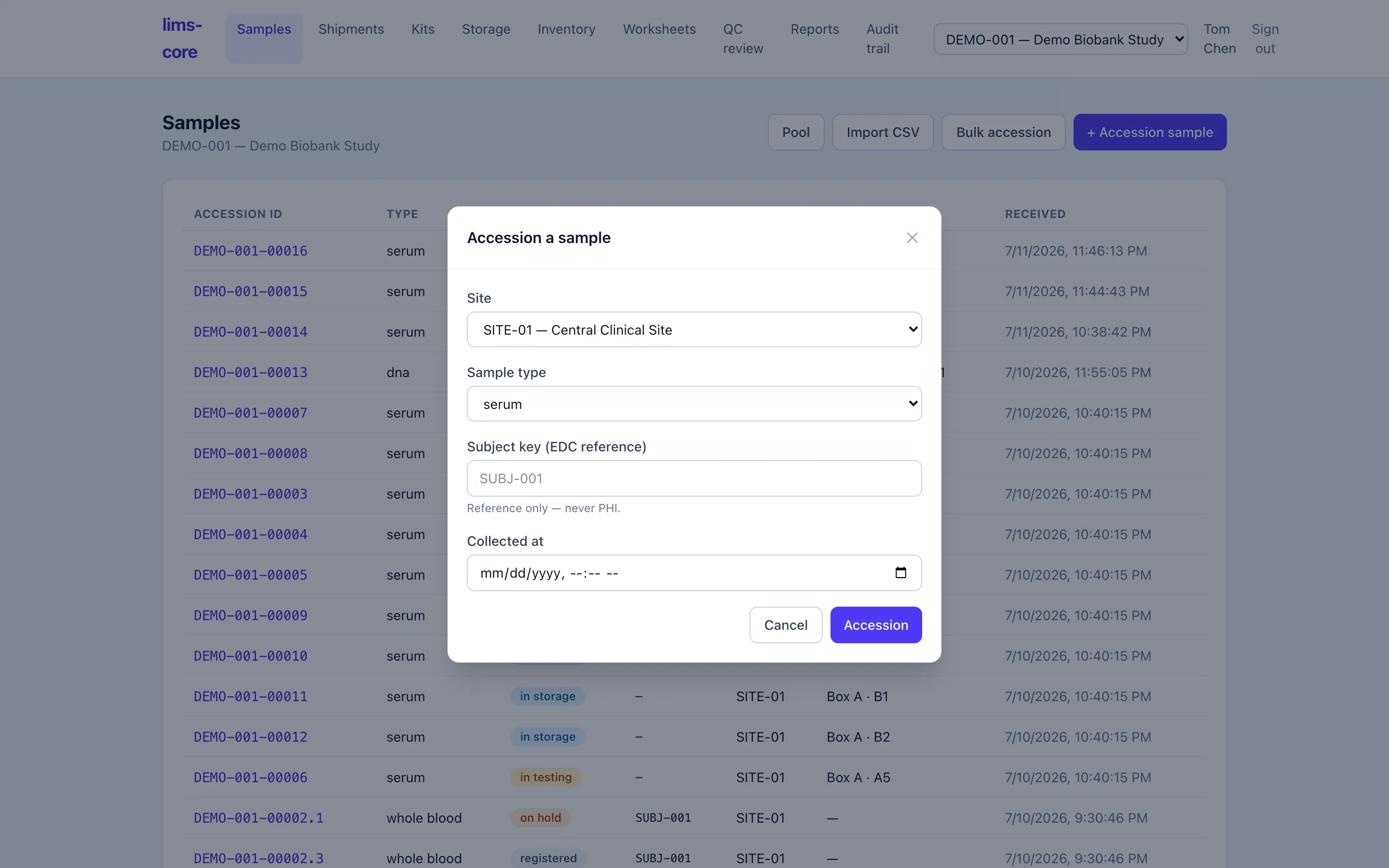
You can optionally link the EDC subject and study event (visit) the specimen was collected from. This is a reference only: the subject key and event OID are identifiers that point back to the EDC, never patient health information. No subject-level clinical data enters the LIMS.
Accessioning in bulk
Section titled “Accessioning in bulk”The samples list offers three faster paths for a real receiving desk, next to the single-specimen form:
- Bulk accession registers a count of identical specimens in one action — same study, site, type, and subject — with an option to fill sequential box positions as they are created (ADR-0008). Every specimen still gets its own accession ID and custody events.
- Import CSV accessions a heterogeneous batch from a manifest, one row per specimen with its own subject, type, and collection time. The file is validated server-side and applied all-or-nothing: if any row is bad, the whole import is rejected with a per-row error report, so a batch never lands half-applied (ADR-0012).
- Pool combines several parent specimens into one pooled sample, recording the many-to-one lineage — see biobank operations.
Once accessioned, a specimen is ready to be labeled and stored.