Reports and exports
The reports screen answers the everyday operational questions about a study’s biobank — how many specimens, of what type, where, and how fast they moved through receipt and storage — and exports a manifest for downstream use.
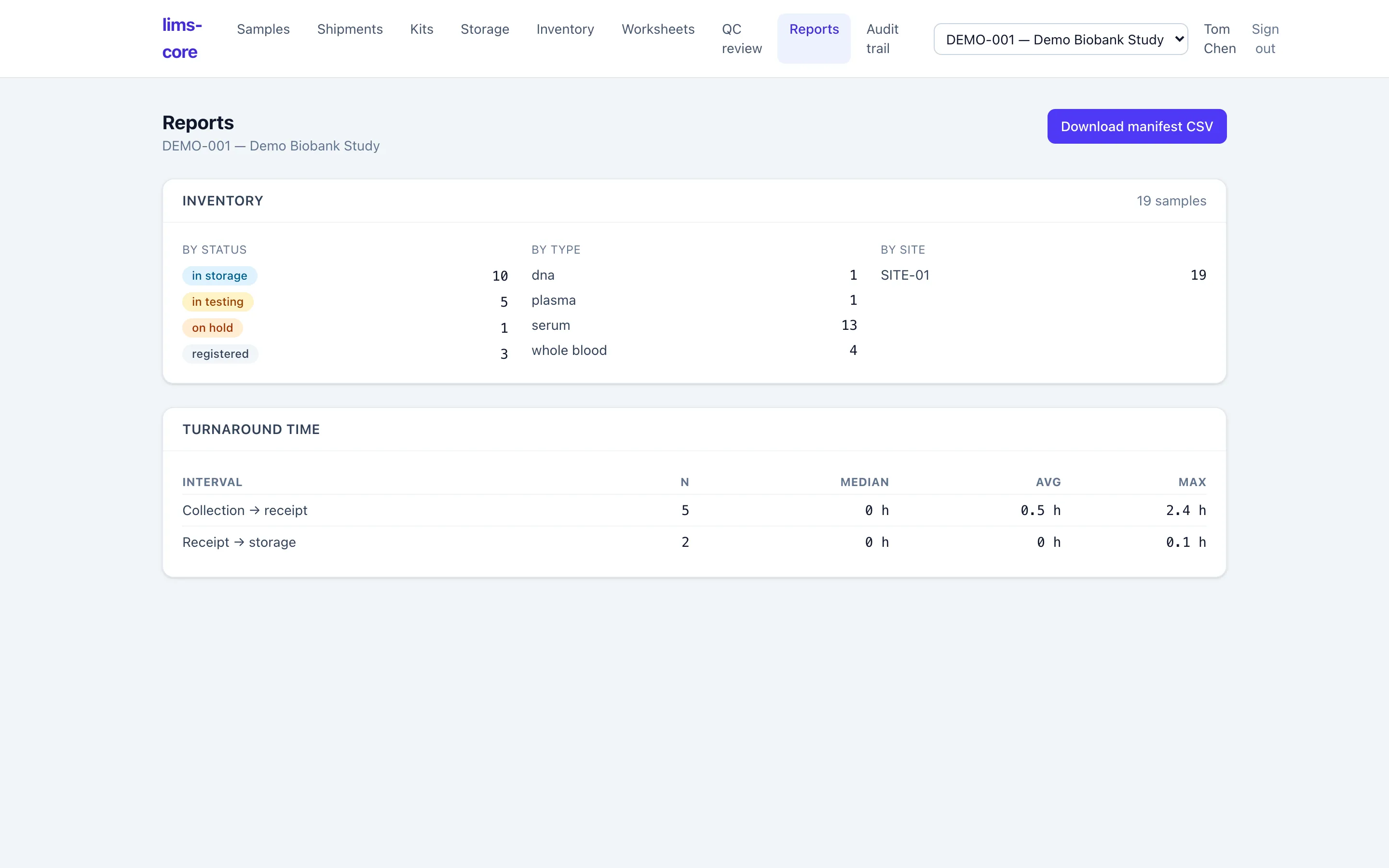
Inventory counts and turnaround
Section titled “Inventory counts and turnaround”Two study-scoped summaries (ADR-0010):
- Inventory — a count of the study’s specimens broken down by workflow status, specimen type, and site.
- Turnaround time — the median, average, and maximum for two intervals, collection → receipt and receipt → storage, computed from the custody events those steps wrote. The metrics come straight from the append-only custody log, so they measure what actually happened, not a separately maintained tally.
Manifest export
Section titled “Manifest export”Download manifest CSV exports the study’s specimens as a flat file for downstream use. Like every reference in the system, the manifest is PHI-free: it carries accession IDs, types, statuses, and the EDC subject reference, never patient health information.