Review workflows
Queries
Section titled “Queries”Queries are threaded conversations attached to a form or a specific item. They come from two places:
- System queries: raised automatically when a saved value fails an edit check; closed automatically when the data is corrected.
- Manual queries: opened by data managers or monitors against any form or item, answered by site staff, and closed (or reopened) by the reviewer.
Manual queries can also be opened in bulk from a workbench listing: a cleaning query’s result rows become queries, each carrying provenance back to the exact execution and snapshot that flagged it. See From listings to queries.
Each study has a queries dashboard showing every query with status, origin, subject, and the latest message:
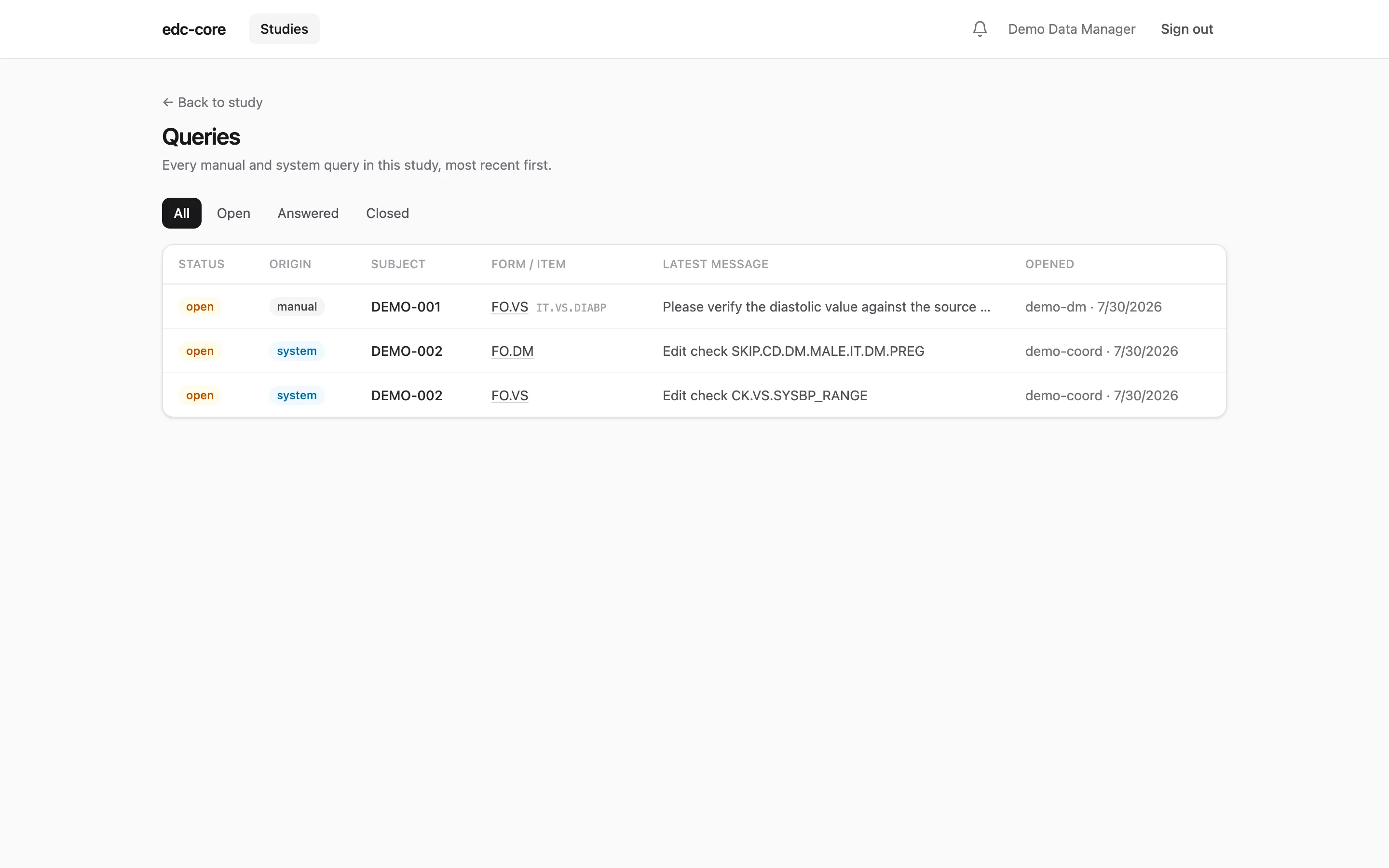
The full lifecycle (open → answered → closed, with reopen) is audited, and
open queries are surfaced prominently on the affected form during entry.
Notifications
Section titled “Notifications”The bell in the header keeps review work moving without polling dashboards: opening a manual query notifies the site staff who can answer it, an answer notifies the reviewers, and a form reaching complete or verified notifies its potential signers, in-app and (with SMTP configured) by email. The full event-to-recipient map, the overdue-reminder scan, and the deliberate silences are on the notifications page.
Source data verification
Section titled “Source data verification”Monitors mark completed forms verified, a distinct workflow state between complete and signed, so SDV progress is visible directly in the subject matrix.
Electronic signatures (21 CFR Part 11)
Section titled “Electronic signatures (21 CFR Part 11)”Investigators sign completed forms. Signing requires re-authenticating at the moment of signature, even mid-session: the signing panel states what the signature means and that later corrections will invalidate it, and asks the signer to prove their identity again before anything is recorded.
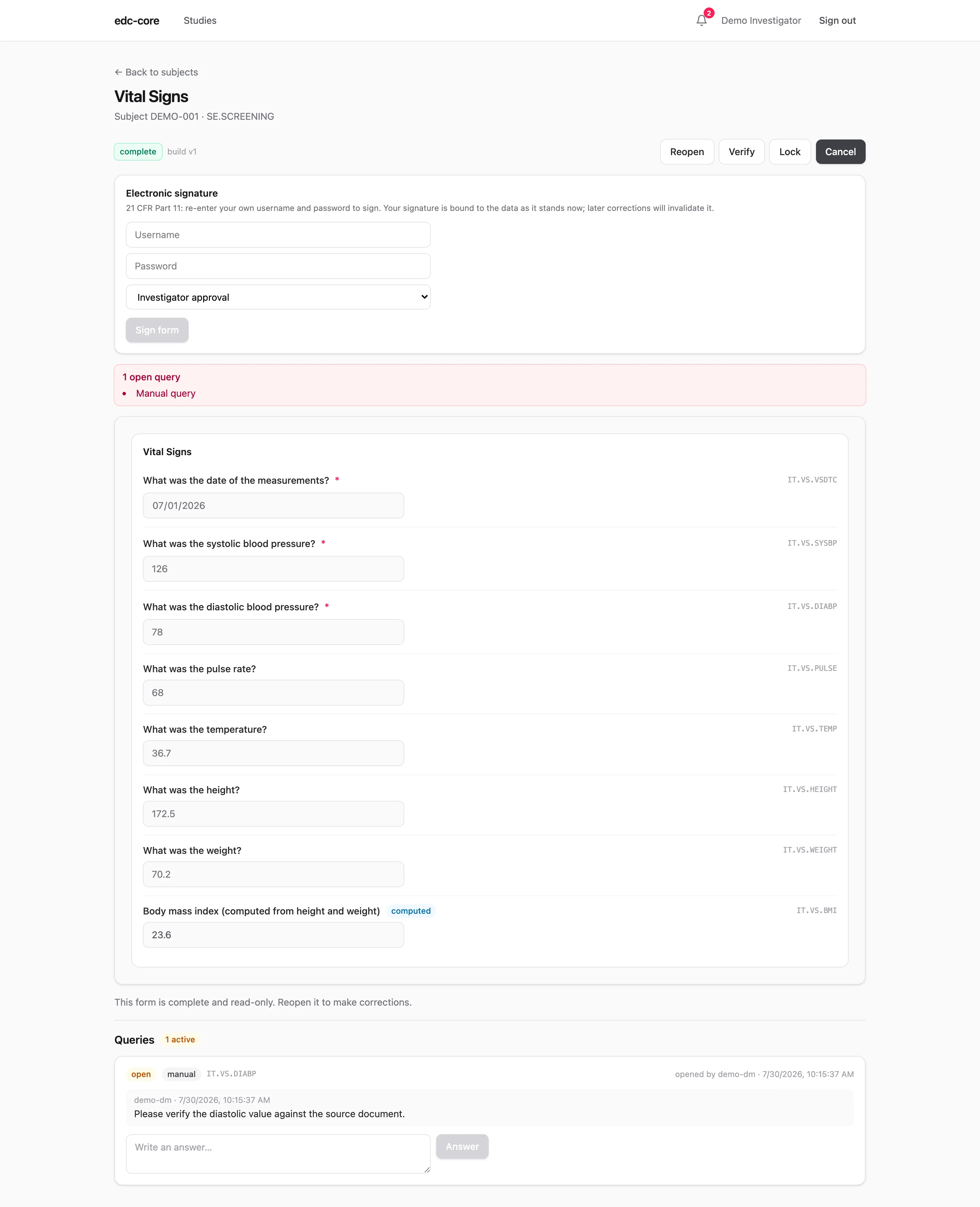
How the re-authentication happens follows how the account signs in:
- Password accounts re-enter their own username and password.
- SSO accounts re-authenticate with the identity provider: the signing panel opens a fresh provider window, and the provider’s confirmation returns as a one-time grant that authorizes exactly one signature.
The stored signature records:
- who signed, when, and the signature’s meaning (e.g., investigator approval)
- a SHA-256 hash over the exact item-value versions signed, binding the signature to that specific content
If the form later becomes editable again, the signature is invalidated one-way: the record of the original signature and its invalidation both remain permanently in the audit trail.
Audit trail review
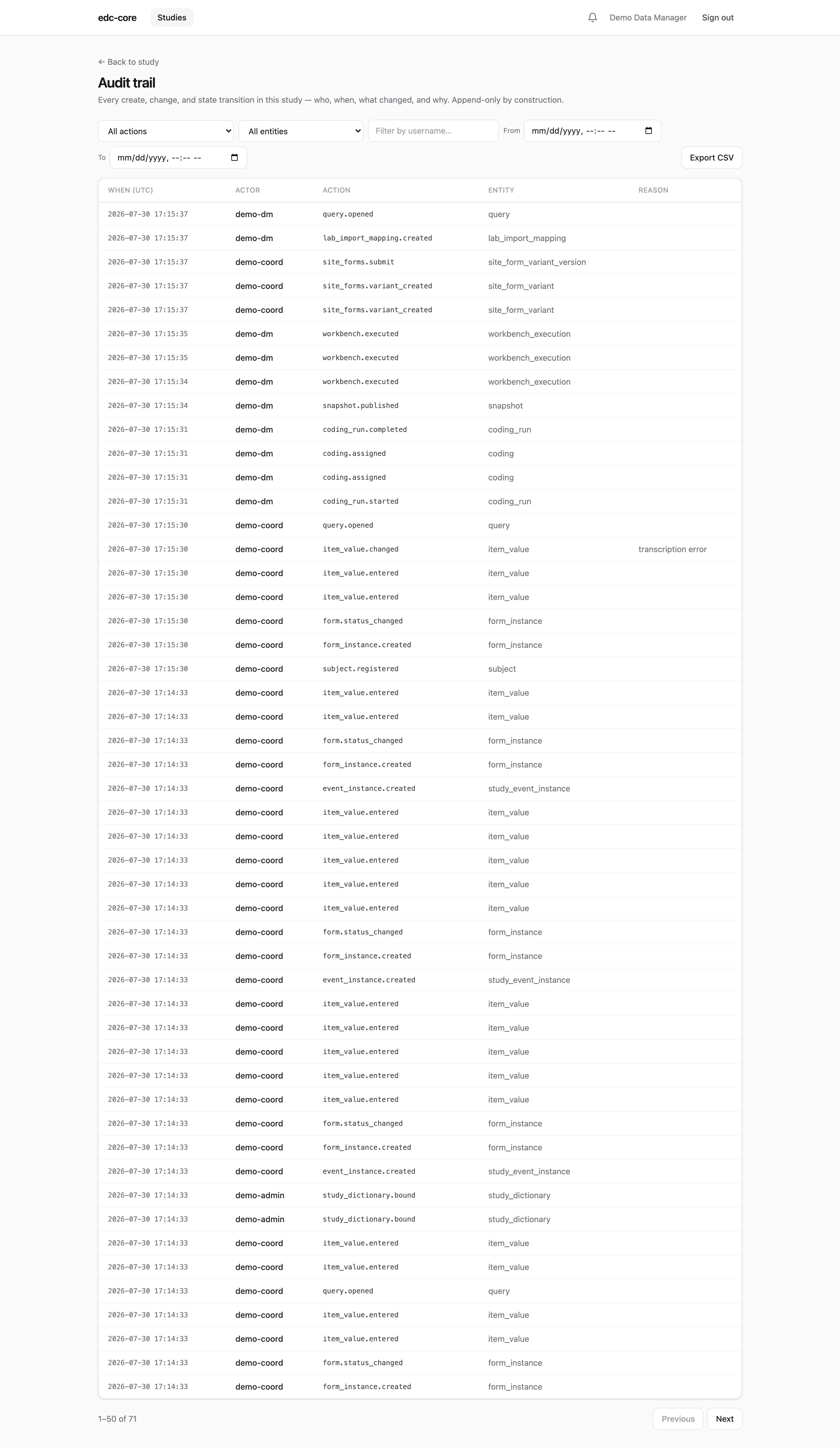
Section titled “Audit trail review”Storing an audit trail is not enough: ICH E6(R3) expects it to be reviewed. The audit page gives reviewers the study’s complete trail, every create, change, and state transition with actor, timestamp, before/after values, and reason. Filter by action, entity, user, or time range, or export the complete trail to CSV (the export streams every row; it is never truncated). Timestamps display in UTC so reviewers in different time zones read the same instant identically.
Events recorded outside any study — logins and lockouts, account lifecycle, cross-study role changes — have their own review page: system administrators find System audit in the Studies header (see User administration).
Under the hood, audit rows and item-value versions are append-only tables;
PostgreSQL triggers reject UPDATE and DELETE outright, the application’s
database role cannot disable or drop those triggers (it does not own the
tables), and the tests prove both. The study trail is also included, in
full, in every
study archive.