Notifications
Query aging is mostly waiting: the site doesn’t know a query was opened, the reviewer doesn’t know it was answered, the signer doesn’t know the form is ready. edc-core closes those gaps with an in-app inbox (the bell in the header) and optional email delivery, without asking anyone to poll dashboards.
Who sees what: notifications go to the people whose permissions let them act on the event, scoped to the site where it happened. Nobody is notified about their own action.
The bell
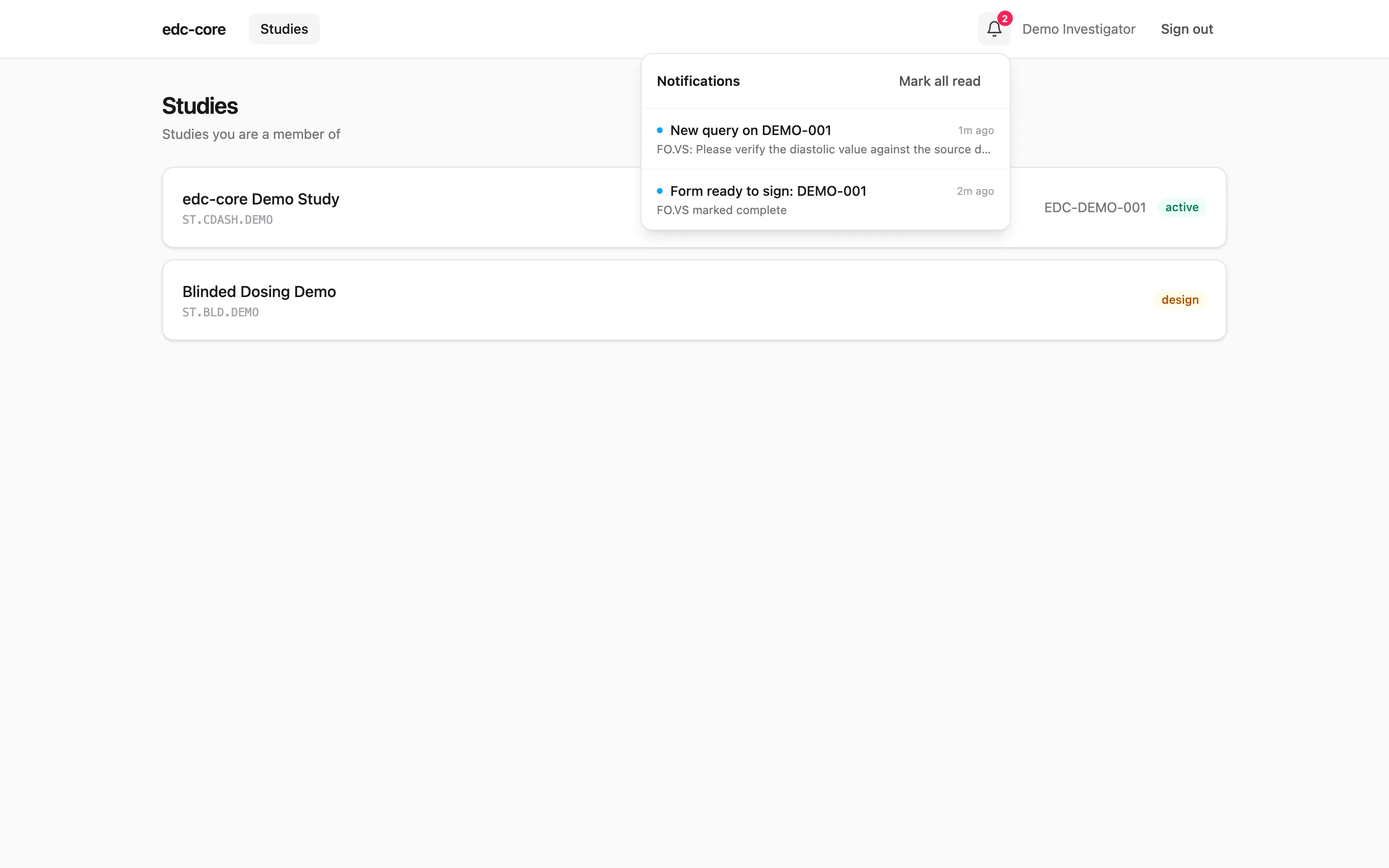
Section titled “The bell”The bell shows an unread count and opens an inbox; each entry deep-links
to the affected form or page, and can be marked read individually or all
at once. In the demo below, demo-dm has opened a manual query on
DEMO-001’s vitals, and demo-inv, who can answer it, finds it waiting:
What notifies whom
Section titled “What notifies whom”| Event | Who is notified |
|---|---|
| Manual query opened | Site staff who can answer it (query.answer, at that site) |
| Queries created from a workbench listing | The same site staff, but one summary per site per batch, not one entry per query |
| Query answered | Reviewers who manage queries (query.manage) |
| Form reaches complete or verified | Its potential signers (data.sign) |
| Form overdue (optional, see below) | Site data-entry staff |
| Site layout gone stale after an amendment | The site and the sponsor |
| Security anomaly detected | System administrators |
Two rules keep the volume honest. Notifications are never sent to the person who caused the event. And system queries from edit checks raise no notifications at all: they open and close with the data during entry, and notifying anyone about self-resolving checks would train everyone to ignore the bell. That holds for cross-form checks too: a save on one form can open a system query on another, and it waits on that form and the queries dashboard rather than in anyone’s inbox.
Following the demo example
Section titled “Following the demo example”Sign in as demo-dm, open DEMO-001’s vitals form from the subject
matrix, and open a manual query on a value. Now sign in as demo-inv
(or demo-coord): the bell shows one unread, and the entry links
straight to the form with the query panel open. Answer it, switch back to
demo-dm, and the answer is in their inbox. That round trip, minus the
sign-ins, is the working loop between sites and reviewers.
Email delivery
Section titled “Email delivery”With SMTP configured (installation), each notification is also sent by email with the same deep link, so site staff who aren’t logged in still hear about queries the day they’re opened. Without SMTP, the in-app inbox works on its own.
Overdue-form reminders
Section titled “Overdue-form reminders”A background scan can flag forms still not started or in progress too long after their visit was created. It is off by default and deliberately crude: visit windows are protocol modeling, not notifications.
EDC_FORM_OVERDUE_DAYS=14 # days before an unfinished form counts as overdue; 0 (default) = offEDC_NOTIFY_SCAN_MINUTES=15 # scheduler tick; 0 disables the schedulerReminders deduplicate, so a form nags once, not every tick.
Why this matters operationally
Section titled “Why this matters operationally”For clinical operations, the metric this machinery moves is query aging:
the time from query opened to answered to closed. Every hop in that cycle
that used to depend on someone remembering to check a dashboard is now a
push. The analytics workbench has the other half: the
queries table in every snapshot, where aging is one SQL query away.
Where next
Section titled “Where next”- Review workflows: the query lifecycle these notifications serve.
- Installation: SMTP setup.
- User administration: the administrator-facing anomaly notifications.