library(ducklake)

attach_ducklake("quack_lake", lake_path = "data/lake", author = "doc")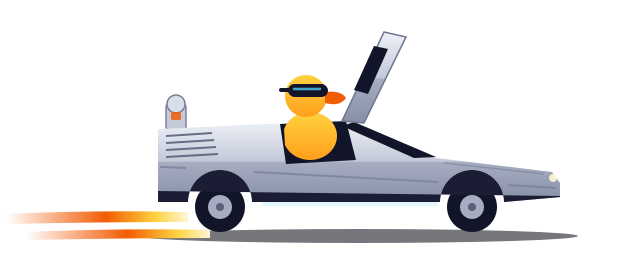
Quack to the Future
Building traceable data lakehouses with DuckLake in R, on a laptop
DestinationPOSIT::CONF 2026 · HOUSTON TX
PresenterTRAVIS GERKE · PCCTC
Last time departedFINAL_v2_FINAL.CSV · 1985
Unversioned data fades
df <- read_excel(
"data/2026-03-14/export_v2_FINAL.xlsx"
)
sum(df$revenue)
#> [1] 48123004633150
2025-12-01/
2026-01-15/
2026-03-14/
export.csv Mar 14
export_v2.csv Mar 14
export_v2_FINAL.xlsx Mar 14Jun 2 ← edited in place
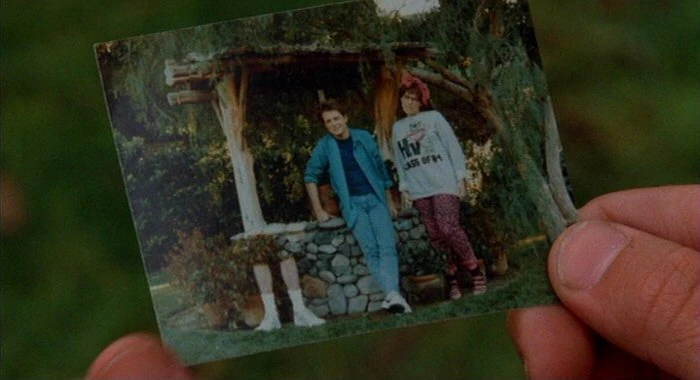
“Why did this number change?” You have no idea. Somewhere in the past, the timeline skewed.
The lakehouse, in one slide
- Your tables live as open files, almost always Parquet (cheap, columnar)
- A catalog tracks which files make up each table, at each version
- Writes are transactions: atomic, versioned, never in a half-state
- This is what Iceberg and Delta Lake do for the Spark world
The catch: built for Spark clusters, run by platform teams.
You don’t need 1.21 gigawatts for this.
Attach a lake
One call opens a lake, and creates it first when nothing is at the path yet.
That’s a working data lake in a folder. Every write from here is transactional and versioned.
Create the layers
with_transaction({
  create_schema("bronze")
  create_schema("silver")
  create_schema("gold")
}, author = "marty", commit_message = "Create medallion layers")
Created schema "bronze".
Created schema "silver".
Created schema "gold".
Committed snapshot 1 (marty): Create medallion layersEverything inside with_transaction() lands as one snapshot. If any step fails, nothing lands.
Load the raw layer
with_transaction(
  create_table(mtcars, "bronze.vehicles"),
  author = "marty", commit_message = "Load raw vehicle data"
)
Committed snapshot 2 (marty): Load raw vehicle dataEvery commit carries an author and a message, and the confirmation names the snapshot.
Derive silver and gold
silver <- get_ducklake_table("bronze.vehicles") |>
  select(model, mpg, cyl, wt) |>
  mutate(cyl = as.integer(cyl))

with_transaction(create_table(silver, "silver.vehicles"),
  author = "doc", commit_message = "Clean and standardize vehicles")
Committed snapshot 3 (doc): Clean and standardize vehiclesgold <- get_ducklake_table("silver.vehicles") |>
group_by(cyl) |>
summarise(avg_mpg = mean(mpg, na.rm = TRUE), n_models = n())
with_transaction(create_table(gold, "gold.efficiency_by_cyl"),
author = "doc", commit_message = "Gold: efficiency by cylinder count")Committed snapshot 4 (doc): Gold: efficiency by cylinder countget_ducklake_table() returns a lazy table. create_table() runs the query inside DuckDB and writes the result into the lake: the rows never pass through R.
Biff gets write access
butthead_cars <- get_ducklake_table("silver.vehicles") |>
  filter(mpg >= 20) |>         # 20+ mpg? butthead cars
  select(model)

with_transaction(
  rows_delete(get_ducklake_table("silver.vehicles"), butthead_cars, by = "model"),
  author = "biff", commit_message = "small tweak"
)
Committed snapshot 5 (biff): small tweakget_ducklake_table("silver.vehicles") |> tally() |> collect()# A tibble: 1 × 1
n
<dbl>
1 1832 rows → 18 rows, labeled “small tweak.”

The change feed, point and click
get_table_changes("silver.vehicles") |> view_table_changes()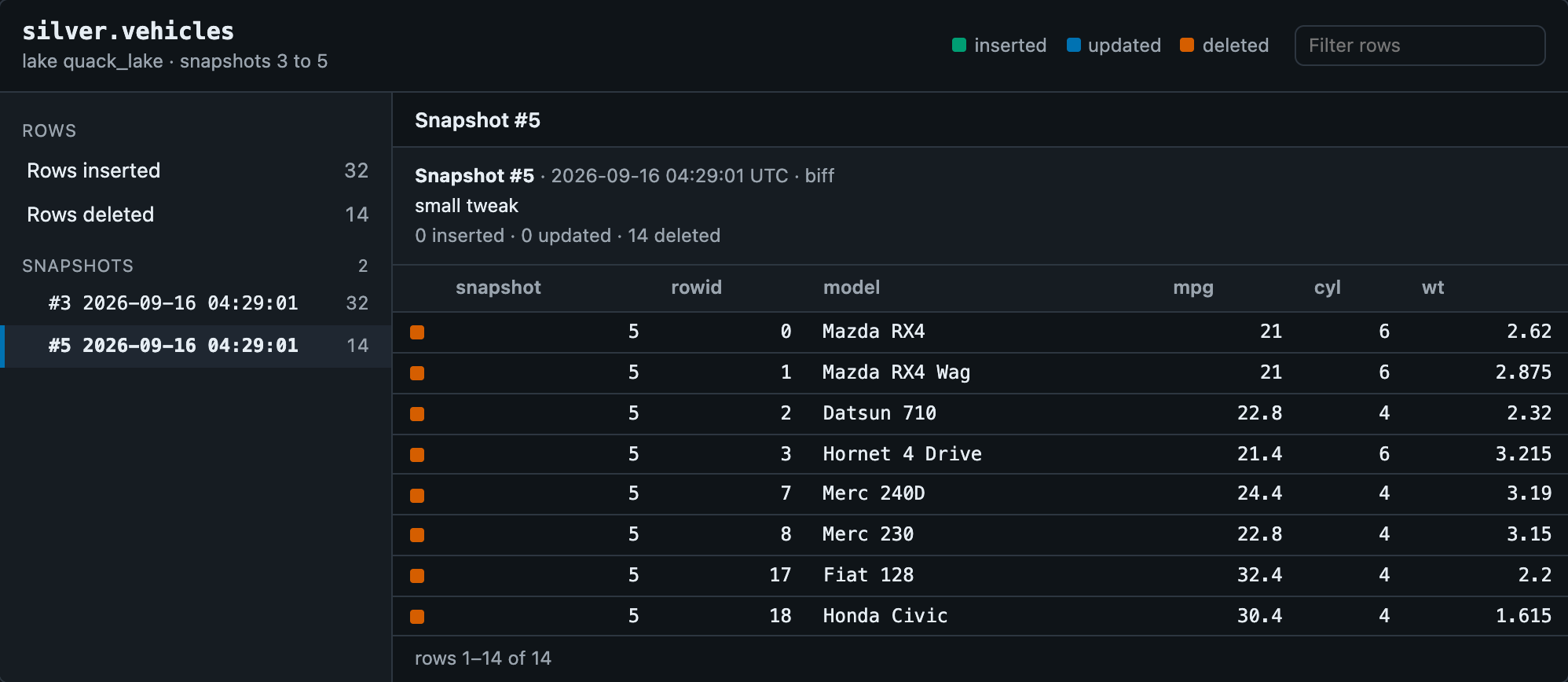
Click a snapshot: who, when, why, and every row it touched.
Fixing the timeline
get_ducklake_table_version("silver.vehicles", version = 3) |> tally() |> collect()# A tibble: 1 × 1
n
<dbl>
1 32restore_table_version("silver.vehicles", version = 3, author = "doc")Committed snapshot 6 (doc): Restored silver.vehicles to snapshot 3list_table_snapshots("silver.vehicles") |> select(snapshot_id, author, commit_message) snapshot_id author commit_message
1 3 doc Clean and standardize vehicles
2 5 biff small tweak
3 6 doc Restored silver.vehicles to snapshot 3Snapshot 3 never went anywhere. Restore rolls forward as a new snapshot: Biff’s mistake stays in the log.
You fix the timeline without erasing anyone from the photo.
Trip III: trace the flux capacitor
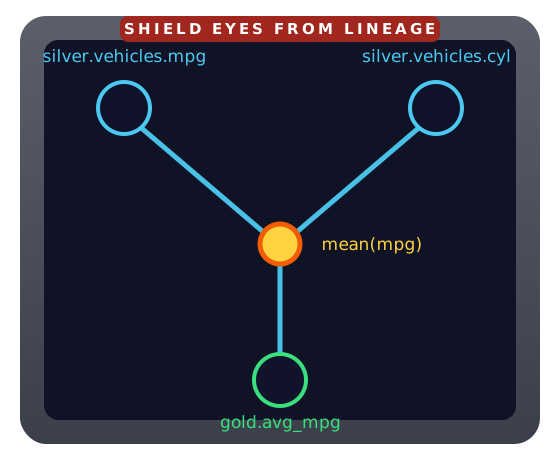
{dplyneage}: column-level lineage for dplyr pipelines
Every column in a result, traced back to the source columns it came from.
Before you change the past…
lineage_downstream(lake_lineage, "bronze.vehicles.mpg") # what would I break?[1] "gold.efficiency_by_cyl.avg_mpg" "silver.vehicles.mpg" lineage_upstream(lake_lineage, "gold.efficiency_by_cyl.avg_mpg") # where did this come from?[1] "bronze.vehicles.mpg" "silver.vehicles.mpg"Impact analysis as a function call: know what a change touches before you make it.
The whole paper trail, assembled
| question | answer | |
|---|---|---|
 {ducklake} |
when / who / why did tables change? | every write is an authored, versioned commit |
 {dplyneage} |
where did each column come from? | exact lineage from your dplyr code |